
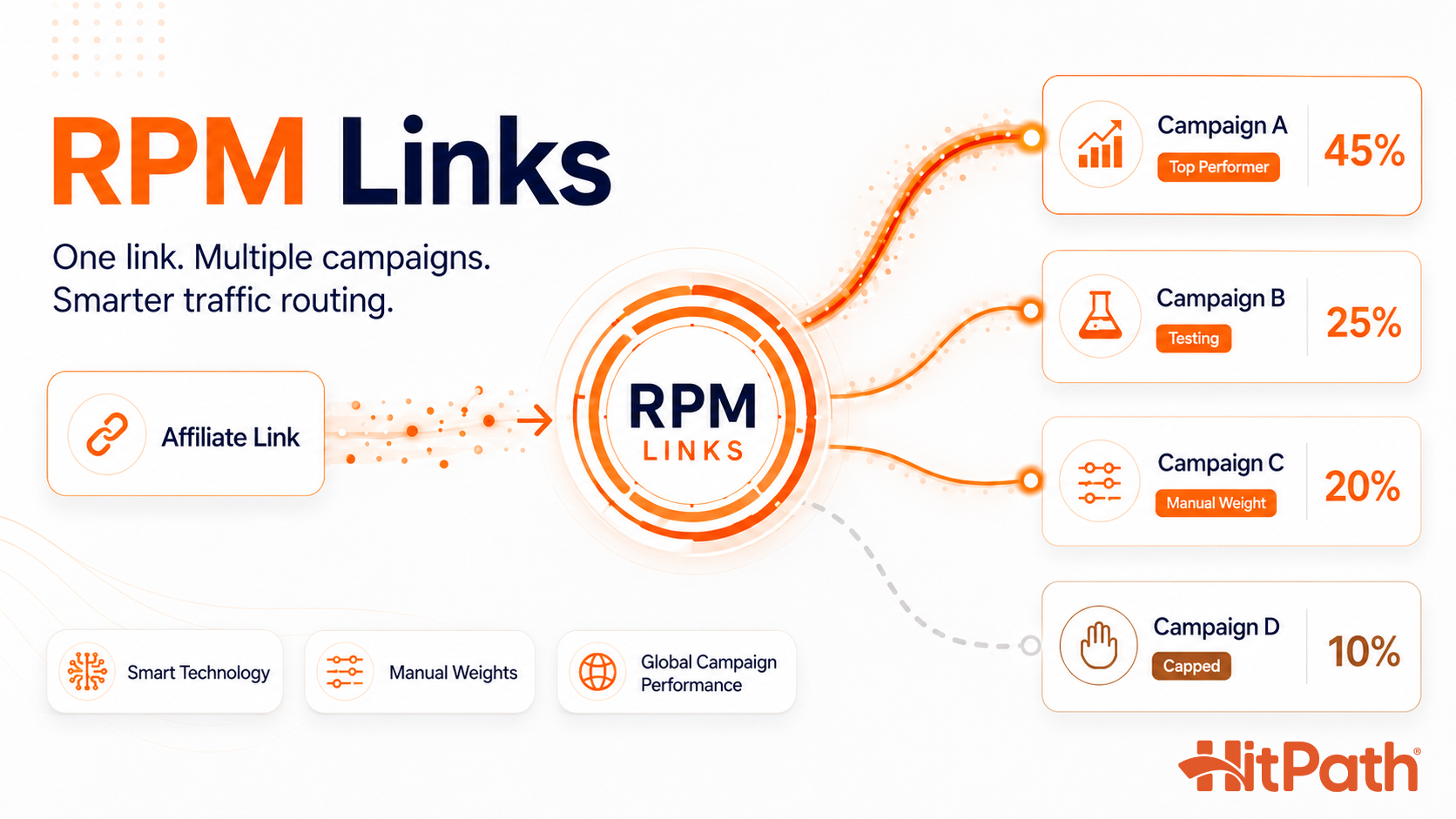
RPM Links is a smart link feature in HitPath that puts up to 10 campaigns behind one URL and routes each click to an offer. You can let Smart Technology optimiz...
What is RPM Links?
RPM Links is a smart link inside HitPath that points an affiliate at a rotation of up to 10 campaigns instead of one, and HitPath routes the traffic behind a single URL.
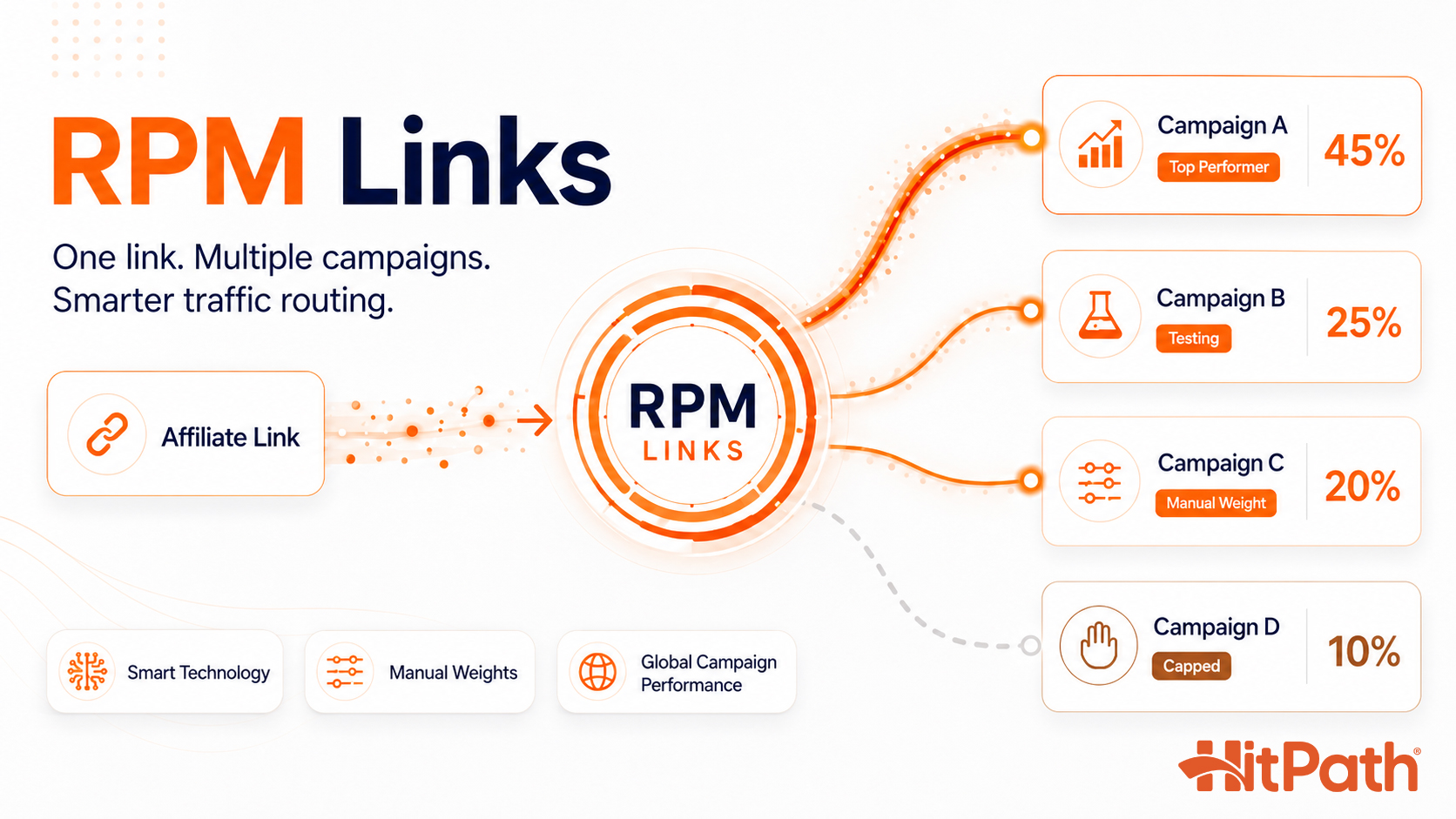
Most affiliate managers still test offers the slow way. You launch one offer, watch it for a few days, swap in another, and try to remember which combination of traffic and creative worked. Meanwhile your affiliates get a single link and hope it holds up. When that one offer caps at noon or the advertiser pulls it without warning, every click after that point is wasted. The traffic keeps coming, but the offer has nowhere to send it.
RPM Links moves the routing logic into the link instead of a spreadsheet you update every morning. You create an RPM Link campaign inside HitPath, select the offers for the rotation, and choose how the rotation makes its decisions. You can hand that decision to the system with Smart Technology, or keep it yourself with manual weights. The affiliate never sees any of this. They get one link, and HitPath matches each click to the offer most likely to convert it.
How does Smart Technology rotate offers automatically?
With Smart Technology on, HitPath shifts more traffic toward the campaigns that convert better as data comes in, with no manual adjustment from you.
Each campaign in the rotation has an option to enable Smart Technology. The system watches how each offer converts. If one offer pulls a stronger conversion rate, it earns a larger share of the clicks. If another softens, its share drops. You are not logging in to adjust anything.
This removes the manual split testing most teams still do by hand. Instead of running one offer, reading a report, and swapping in the next candidate, you load the candidates into a single RPM Link and let the system run the test continuously. Two situations show where this pays off:
- An insurance offer caps at noon. A strong offer hits its daily cap by midday and stops accepting traffic. With Smart Technology running, the rotation shifts to the next best performer on its own, so afternoon traffic keeps converting instead of piling up against a capped offer.
- Testing five new offers at once. Testing offers one at a time stretches the process across weeks and muddies the comparison, because market conditions change between tests. Load all five into one RPM Link and the system tests them simultaneously under the same traffic, then surfaces the winner.
When should you set manual weights instead?
If Smart Technology is off, you assign each offer a fixed percentage of traffic and HitPath holds those splits until you change them, which suits volume commitments, advertiser relationships, or a controlled slice for a new campaign.
For example, Campaign A takes 40 percent, Campaign B takes 30 percent, and Campaign C takes 30 percent. HitPath splits the clicks to match those numbers, and nothing rebalances on its own. Manual weighting is for cases where you already know what you want the rotation to do. Maybe you are honoring a volume commitment to an advertiser, protecting a relationship with a specific offer, or feeding a new campaign a small share of traffic before you trust it with more.
It also fits the media buyer who has strong opinions about which offer fits which traffic source and does not want an algorithm second guessing that. They set the percentages per campaign, lock the rotation to match their strategy, and change it when they decide the mix should change.
What does Evaluate Global Campaign Performance change?
When Smart Technology is on, this setting selects campaigns based on performance across your whole network instead of one affiliate's clicks, which helps affiliates who lack the volume to optimize on their own.
It is only available when Smart Technology is enabled. By default, Smart Technology optimizes on the traffic flowing through that link. With Evaluate Global Campaign Performance on, the rotation draws on network-wide conversion data instead of a single traffic source.
This matters most for newer or lower volume affiliates. A small affiliate might take a week to gather enough conversions for the system to trust a pattern. With global evaluation, that affiliate benefits from what every other source in the network has already proven, so winners surface faster. It levels the field between smaller affiliates and your high-volume partners, and it gets smarter as your network grows.
How do you create and report on RPM Links?
You create a link under Campaigns > RPM Links > Add New RPM Link, then review results in Reports > RPM Links in HitPath, and affiliates see their own view in the Partner Portal under the same path.
The basic flow is:
Add New RPM Link > Create Link > Save Link > Choose Redirect Settings > Add Campaigns
This lets the network define the RPM Link first, then decide how the traffic is routed. Depending on the strategy, you can enable Smart Technology, evaluate global campaign performance, or manage the rotation manually by assigning campaign weights.
RPM Links reporting in HitPath
The system report gives the network a full view of RPM Link performance under Reports > RPM Links.
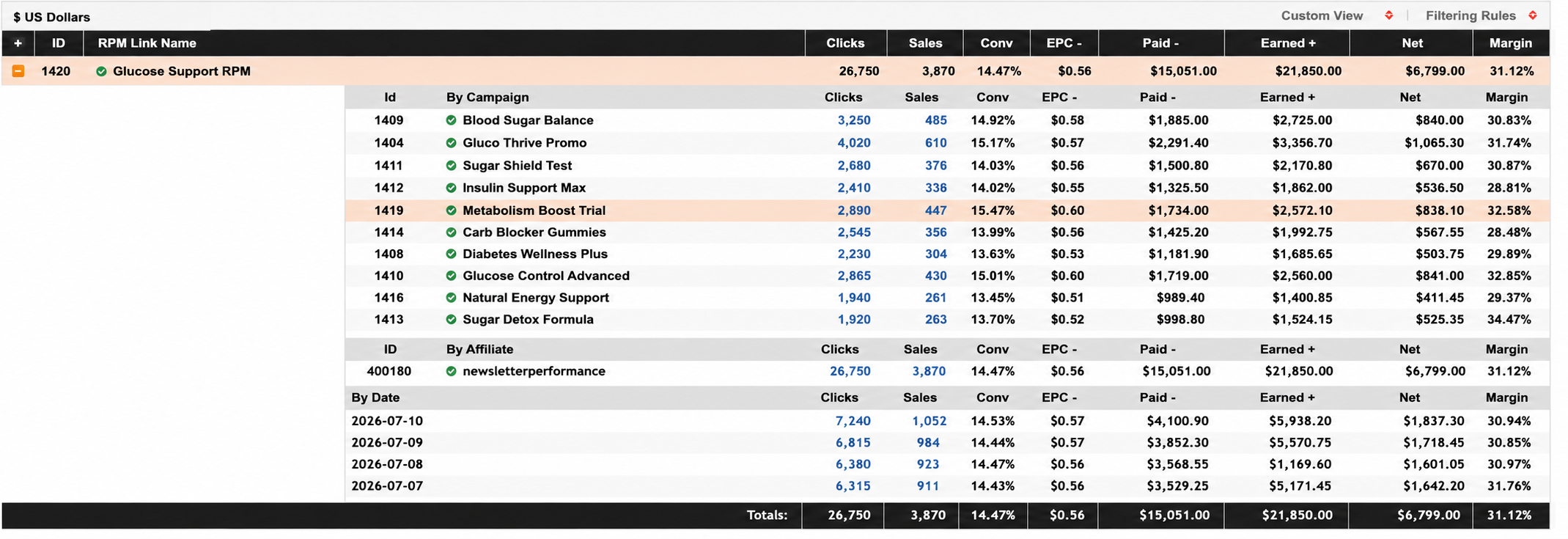
You can review the RPM Link name, clicks, sales, conversion rate, EPC, paid amount, earned amount, net, and margin. You can also expand an RPM Link to see performance broken down by campaign, affiliate, and date. For affiliate managers, this connects the routing strategy to the actual numbers. You can see how each campaign inside the rotation is performing, compare results, and make adjustments when needed.
RPM Links reporting in the Partner Portal
Affiliates can view their RPM Link performance in the Partner Portal under Reports > RPM Links.
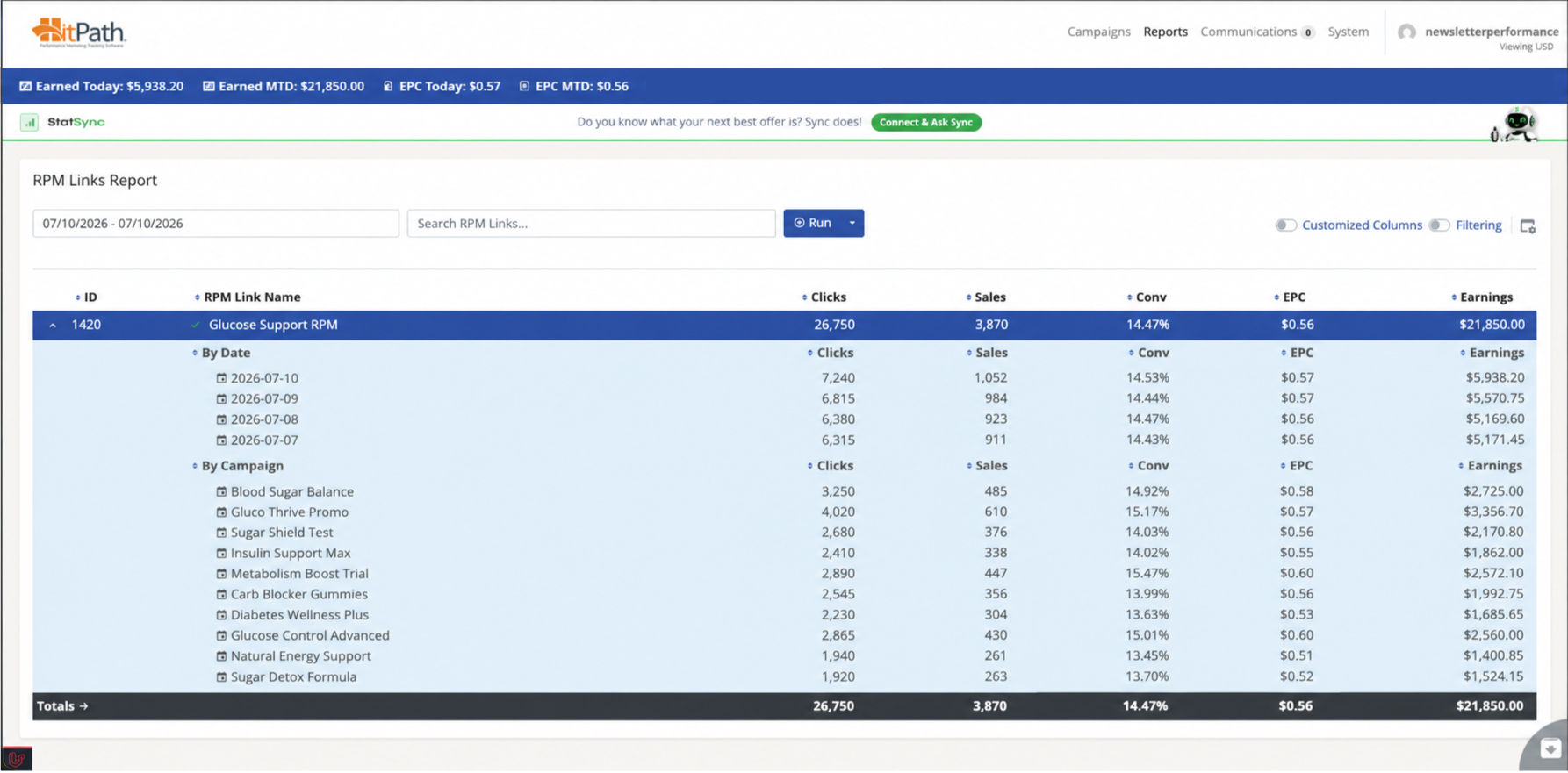
They can review clicks, sales, conversion rate, EPC, and earnings, and expand an RPM Link to see reporting by date and by campaign. The affiliate experience stays simple. They promote one RPM Link while the network manages the routing behind the scenes, and they get enough visibility to understand performance without needing the full system-side report. Networks get deeper control and financial visibility, and affiliates get a clear view of the links they promote.
RPM Links is available now inside HitPath. If you are already a HitPath client, you can create your first RPM Link campaign from your dashboard. If you are not on HitPath yet, request a demo and we will set up your first RPM Link campaign live on the call.